Should a build quietly fix invalid input, or report what it finds and stop? In software compilation, quiet faking is a bug. A press-bound document needs the exact same discipline: check inputs, report defects, and never upscale or re-encode to force a passing number. Getting every raster image press-ready means handling three requirements: converting sRGB to CMYK with a target profile, verifying resolution at placed size, and handling formats like PNG that cannot store CMYK. Hand all three to the print shop’s Raster Image Processor (RIP) and hope its defaults line up with yours, or run the conversion in Python before anything touches LaTeX. I choose the second option every time. Tracing muddy blues back to a RIP’s silent fallback profile after proofs arrive isn’t a good afternoon.
Check, don’t fake: check inputs, report defects, and never upscale or re-encode to force a passing number.
- Check inputs
- Report the defect
- Human fixes the source
Not: check → modify the input until the check passes.
- RGB source images
- prepare_images.py
- RGB → CMYK / FOGRA39
- Resolution + format checks
- LaTeX / lualatex
- Post-processing
- PDF preflight
- Print-ready output
Enters prepare_images.py. This script converts each source image from RGB to CMYK using the FOGRA39 ICC profile through Pillow and LittleCMS, with black-point compensation enabled by default. It checks resolution at the exact size the image is placed on the page, not whatever metadata sits in the header. No upscaling to fake a 300 ppi pass. That’s the whole point of the tool.
Convert upstream, not at the RIP
Why leave color conversion to the print shop? RIP-side conversion is a lottery. Different print shops run different ICC profiles. Some run no custom profile at all, falling back to generic CMYK. Because rendering intent and conversion algorithms interact with specific pixel values, the proof can look nothing like what sat on your monitor. Sometimes it’s close. Still, you only find out when the printed proof lands on your desk.
The fix is converting before anything touches the LaTeX build. By the time lualatex runs, every rasterized image in the document is already CMYK: target profile embedded, resolution verified, all parameters locked. The RIP receives CMYK data and passes it through untouched. Nothing left for it to alter.
Basically, prepare_images.py is that preflight step. It runs once before the first LaTeX pass, transforming RGB sources to CMYK with FOGRA39 via Pillow and LittleCMS.
Implementation
prepare_images() does seven things, in order: loads the source and CMYK profiles, builds the transform once, checks resolution, converts RGB images, handles PNG separately, embeds the CMYK ICC profile, and returns structured defects.
prepare_images.py: full implementation Python
from pathlib import Path
from PIL import Image, ImageCms

INTENT = {
    "relative":   ImageCms.Intent.RELATIVE_COLORIMETRIC,
    "perceptual": ImageCms.Intent.PERCEPTUAL,
    "absolute":   ImageCms.Intent.ABSOLUTE_COLORIMETRIC,
    "saturation": ImageCms.Intent.SATURATION,
}

def prepare_images(
    src_dir: Path,
    out_dir: Path,
    icc_path: Path,
    intent: str = "relative",
) -> list[dict]:
    rgb_profile  = ImageCms.createProfile("sRGB")
    cmyk_profile = ImageCms.getOpenProfile(str(icc_path))
    xform = ImageCms.buildTransform(
        rgb_profile, cmyk_profile, "RGB", "CMYK",
        renderingIntent=INTENT[intent],
        flags=ImageCms.FLAGS["BLACKPOINTCOMPENSATION"],
    )
    issues: list[dict] = []
    out_dir.mkdir(parents=True, exist_ok=True)
    for src in sorted(src_dir.iterdir()):
        if src.suffix.lower() not in {".jpg", ".jpeg", ".tif", ".tiff", ".png"}:
            continue
        with Image.open(src) as img:
            dpi = img.info.get("dpi", (72, 72))
            ppi = min(dpi)
            if ppi < 300:
                issues.append({"file": src.name, "check": "resolution",
                               "detail": f"{ppi:.0f} ppi < 300 required"})
            cmyk = (ImageCms.applyTransform(img.convert("RGB"), xform)
                    if img.mode != "CMYK" else img.copy())
            # PNG cannot store CMYK: route those outputs to lossless TIFF
            out_name = src.name
            if src.suffix.lower() == ".png":
                out_name = src.stem + ".tif"
                issues.append({"file": src.name, "check": "format",
                               "detail": f"PNG cannot hold CMYK; written as "
                                         f"{out_name}: update the layout reference"})
            cmyk.save(out_dir / out_name, dpi=dpi,
                      icc_profile=cmyk_profile.tobytes())
    return issues
Format, resolution, and color transforms
The script does two different things: it transforms the data, and it checks the data. They don’t always happen at the same stage.
Transform the data
- RGB → CMYK via Pillow and LittleCMS.
- FOGRA39 profile, black-point compensation.
- PNG → TIFF where the format requires it.
- ICC profile embedded in the output.
Check the data
- Stored resolution, in
prepare_images.py. - Format compatibility, in
prepare_images.py. - Effective resolution at placed size, later, in post-build preflight.
- All defects accumulated into one report.
What happens when a PNG source enters a CMYK pipeline? PNG has no CMYK color mode. Passing a converted array back to Pillow’s PNG writer triggers cannot write mode CMYK as PNG. JPEG and TIFF support CMYK; PNG doesn’t. A PNG source requires a format conversion alongside the color transformation. The script writes the converted image as a lossless TIFF file and flags a format defect in the report, prompting the author to update the layout reference. Only the container changes; the color transform remains identical. (PNG belongs on the web; print requires TIFF or JPEG.)
- PNG source
- CMYK conversion
- TIFF output
- Layout reference must be updated
Resolution works on the same principle: checked, not fixed. If an image’s stored DPI falls below 300 ppi, prepare_images.py logs a defect without altering a single pixel. Upscaling to 300 ppi would satisfy automated checks while producing a blurry image on paper. That trades a clear error for silent degradation. The fix is supplying a high-resolution asset or reducing placed dimensions in LaTeX. What’s more, a post-build preflight step calculates effective resolution at final placed size, catching images that claim 300 ppi on disk but drop below threshold when stretched across a page.
- Stored DPI below 300
- Defect reported, not upscaled
- Author supplies a higher-resolution asset, or reduces placed size
The transform matrix, constructed via ImageCms.buildTransform() from sRGB to FOGRA39, is instantiated once outside the file loop. Rebuilding transforms per image adds overhead across large asset sets. Images already in CMYK skip conversion entirely: re-transforming CMYK data degrades color accuracy by compounding gamut compression.
Rendering intent defaults to relative (relative colorimetric), mapping out-of-gamut shades to the nearest printable value while preserving in-gamut colors. perceptual compresses the full gamut, softening contrast; absolute and saturation suit technical diagrams rather than photos. Black-point compensation remains mandatory. BLACKPOINTCOMPENSATION aligns black points across profiles, preventing shadow clipping when squeezing sRGB into CMYK’s tighter gamut. LittleCMS handles this through a dedicated transform flag.
Finally, icc_profile=cmyk_profile.tobytes() embeds FOGRA39 directly into every output file. A PDF OutputIntent declaration requires matching image metadata to guarantee the press RIP processes pixels without re-interpretation.
Defect reporting
Dicts, not exceptions. The function hands back a list of defect dictionaries. A resolution failure is a soft defect: the conversion runs, the output file is written, and the issue is recorded. The orchestrator folds image issues into post-build preflight checks:
# In build_print.py
img_issues = prepare_images(Path(args.images), Path("images-cmyk"),
                             Path(args.icc), args.intent)

# ... LaTeX passes ...

checks     = run_preflight(out_pdf)
all_issues = img_issues + [c for c in checks if not c["ok"]]
A resolution defect out of prepare_images.py and a font-embedding defect out of run_preflight() sit together in all_issues. Same format, same report, single output for pre-press review.
-
prepare_images()
Image issues: resolution and format defects.
-
run_preflight()
PDF issues: e.g. font-embedding defects.
all_issues — single accumulated defect report
Post-processing pipeline integration
Once images are converted to CMYK, the post-processor (make_print.py) completes the print-ready assembly without Ghostscript:
Resolution control
Alpha channel handling
Output standardization
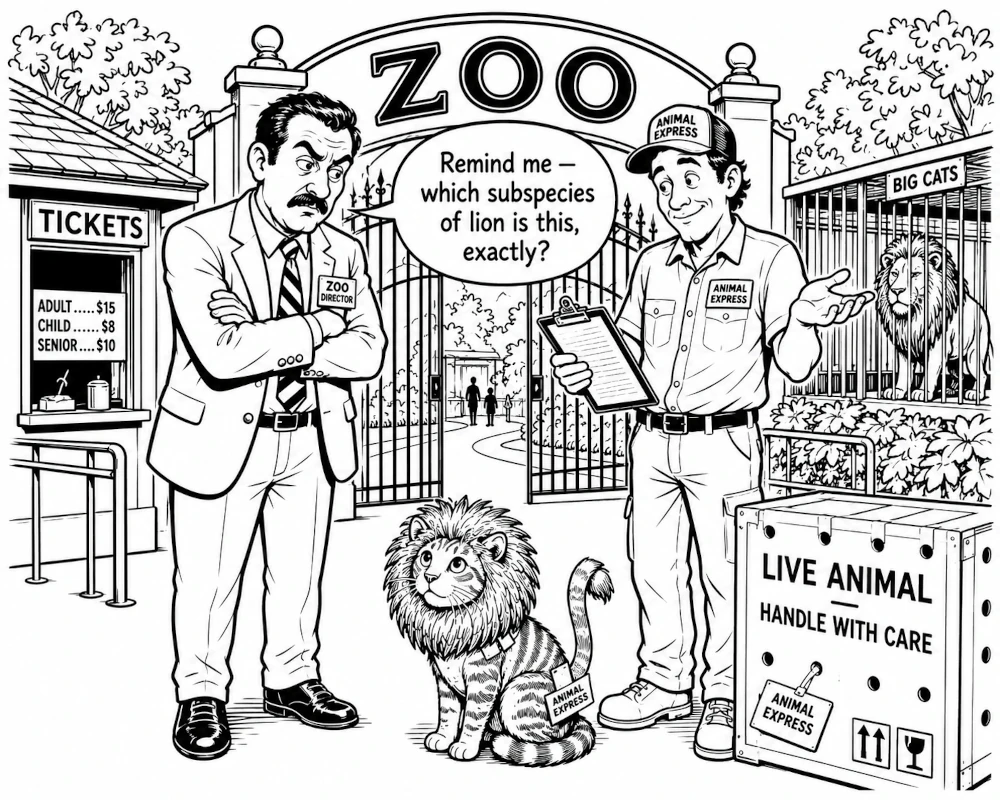
The next step is wiring all_issues into the CI exit code so a resolution defect breaks the build before anything goes to the print shop. Until then, at least the pipeline stops shipping tabby cats in lion manes.
External sources
- Pillow ImageCms: the conversion API
- Little CMS: the color engine Pillow uses
- ICC profiles (FOGRA39) and rendering intents