# CI/CD for a print artifact: one principle, two projects
When software teams commit code, continuous integration builds and tests every change on a clean virtual runner before anything reaches production. Print publishing rarely enjoys the same rigor. Most document teams build press deliverables on individual workstations, relying on whatever fonts, TeX distributions, or layout packages happen to be installed locally.
In collaborative print projects, local compilation quickly introduces silent drift. A minor TeX Live patch update between contributors can alter hyphenation matrices, shift line wraps, change page counts, or break cross-volume indexes. An unverified image placed in RGB rather than CMYK can pass unnoticed on an office monitor and fail on an industrial printing press, resulting in expensive delays or ruined print runs.
Applying continuous integration and continuous delivery (CI/CD) to print documents solves this environmental fragility. By executing builds inside pinned environments on GitHub Actions, teams guarantee that every commit produces byte-identical, press-compliant PDF deliverables regardless of who triggered the build.
> **Key takeaway:** Continuous integration for print treats press deliverables as compiled software. Pinning the typesetting toolchain and automating preflight validation in CI replaces workstation guesswork with deterministic, reproducible guarantees.
This article examines how this principle operates across two production workflows:
1. **A multi-author book project** built with LuaLaTeX, where contributors collaborate on long-form prose and automated pipelines guarantee layout and typographic stability across volumes.
2. **An annual planning poster** compiled from YAML data, where non-technical contributors edit dates and prices in GitHub web interfaces, triggering automated semantic diffs, CMYK color space conversion, and strict PDF/X-4 preflight validation.
For screen-reader users and text-based browsing, the pipeline follows this sequence:
1. **Edit source files:** Contributors update modular `.tex` chapters or structured `events.yaml` data.
2. **Commit or pull request:** Changes are committed and pushed to a GitHub repository.
3. **Reproducible CI build:** A GitHub Actions runner initializes a pinned TeX Live 2023 environment with fixed fonts, packages, and compilation engines.
4. **Automated validation:** Automated scripts inspect compile logs, convert images to FOGRA39 CMYK, and verify PDF/X-4 compliance.
5. **Quality gate:** If all checks pass, press-ready PDFs and proofing contact sheets are uploaded as build artifacts for print shop submission. If any check fails, the pipeline halts with detailed failure diagnostics, preventing defective files from reaching the press.
## Two implementations at a glance
The same pipeline principle produces two different artifacts. The book project turns version-controlled LaTeX into a multi-volume PDF; the poster project turns version-controlled YAML into a set of print-ready PDF/X-4 files. Everything below is covered in detail in its own section further down.
Several editors and contributors push to the same repository at once. Manually checking page breaks, indices, and cross-references across several hundred pages is impractical.Every commit to `main` triggers a three-pass LuaLaTeX build (`lualatex → makeglossaries → lualatex → lualatex`) inside a pinned TeX Live 2023 runner, followed by glossary generation and imposition flatplans.Volume PDFs, a printer's copy, and imposition flatplans for proofreading, with layout and pagination stable across all three volumes.Non-technical contributors edit dates, prices, and event leads directly through the GitHub web editor. Multilingual and calendar-grid accuracy has to survive every one of those edits.A pull request against `events.yaml` triggers a semantic diff comment, then a build that converts imagery to FOGRA39 CMYK and runs a strict, six-point PDF/X-4 preflight check before publishing.Six press-ready PDF/X-4 files: French, English, and Spanish editions for both the current and upcoming seasons.
## The problem: silent drift in local print builds
Local document compilation introduces subtle, undetected variations that compromise print quality:
- **TeX Live release discrepancies:** Differing package versions alter hyphenation patterns, line wrapping, and paragraph pagination across contributor machines.
- **Font metric shifts:** Local font updates or operating system font rasterization variations alter character bounding boxes, shifting text across chapter boundaries.
- **Unverified local builds:** When contributors build deliverables on their own workstations, untested configuration differences reach the commercial printer.
- **Irreversible print economics:** Unlike web deployments where a styling defect can be patched with a follow-up commit in minutes, physical press runs of hundreds or thousands of copies cannot be rolled back without expensive reprints.
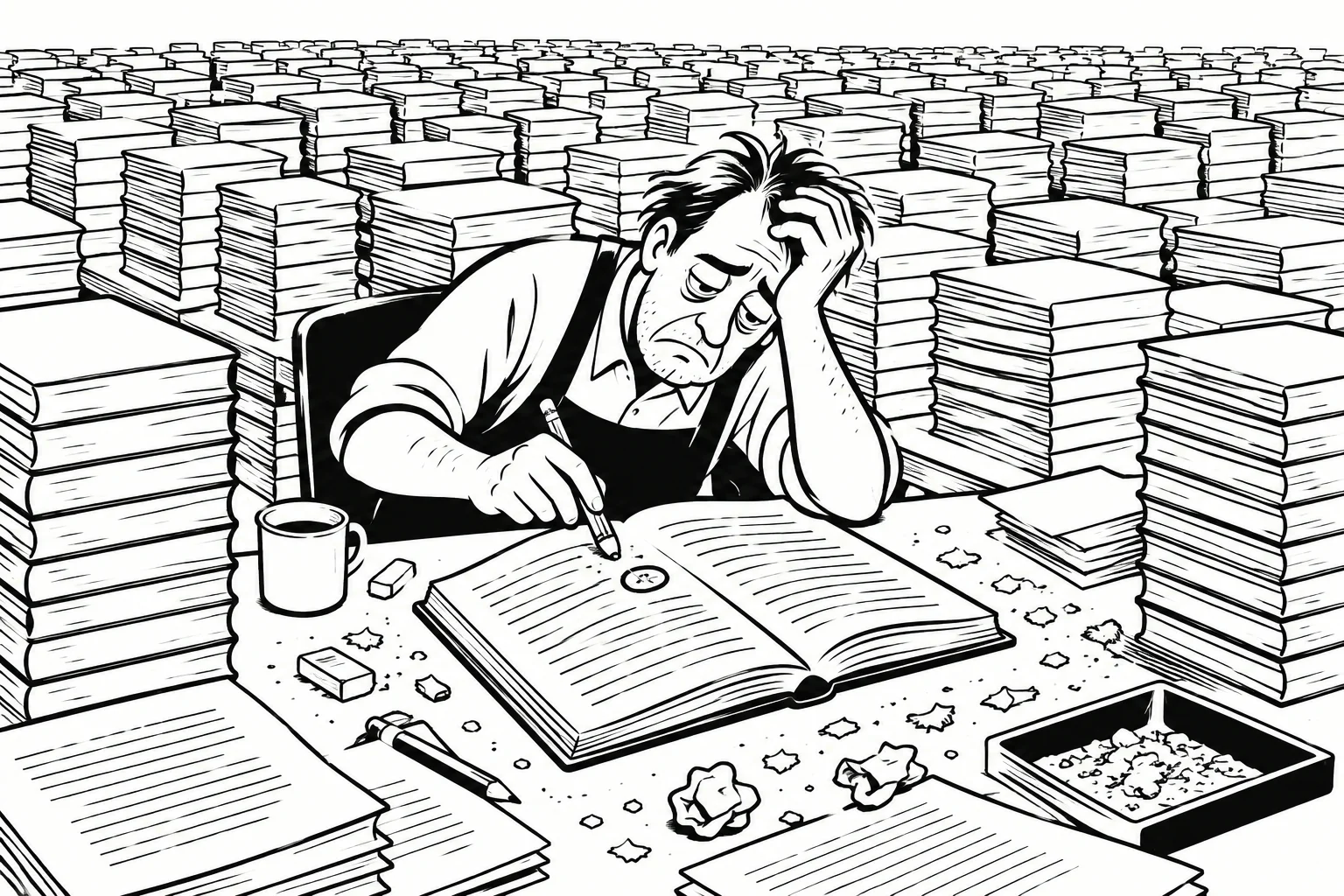
Without automated preflight and pinned CI builds, undetected formatting shifts or typos lead to costly physical reprints.
When production depends on "it works on my laptop," teams accumulate invisible technical debt. The only reliable fix is moving the build to a single, neutral source of truth.
## The CI/CD approach: deterministic document pipelines
Continuous integration for print documents applies the same principles that govern software releases:
- **Pinned execution environments:** Compilations run inside standardized Linux runners with pinned versions of TeX Live 2023, Python, and underlying image libraries. No personal workstation settings can alter the output.
- **Automated assertions on every push:** The build runner automatically executes linting, semantic difference detection, and PDF preflight checks on every commit and pull request.
- **Clear separation of concerns:** Authors focus on text and structured data in version-controlled text files, while the pipeline handles color conversion, imposition, and artifact generation.
By taking artifact generation out of local editors, the publication workflow becomes fully auditable, repeatable, and resilient to staff turnover.
## Multi-author book workflow: collaborative LaTeX publication
A three-volume edition of recorded talks (*Commentaires du Shinjinmei*) relies on automated CI compilation on every commit to `main`. Because multiple editors and contributors submit content simultaneously, manual verification of page breaks and indices across several hundred pages is impractical.

The typeset cover spread for Tome I of the book project, generated programmatically to exact printer millimeter specifications.
The multi-author book workflow executes these steps automatically:
1. **Multi-pass compilation:** LuaLaTeX runs three times in sequence (`lualatex -> makeglossaries -> lualatex -> lualatex`) to resolve cross-references, calculate exact page counts, and balance chapter opening spreads.
2. **Glossary and index generation:** `makeglossaries` processes terminology and index entries between compilation passes, ensuring page references match the current pagination.
3. **Imposition and flatplan generation:** `pdfjam` renders 2-up contact sheets and flatplans for visual proofreading of signature spreads.
4. **Toolchain pinning:** Pinning the runner environment to TeX Live 2023 locks layout rendering rules across years of ongoing revisions, guaranteeing that past volumes recompile with identical line breaks.
## Data-driven poster workflow: YAML to PDF/X-4
The second project is an annual two-page A3 planning poster for a community group. The poster features a complex 12-month calendar grid (roughly 370 cells) on page 1 and program details on page 2. Rather than editing desktop layout files manually, all content is stored in structured YAML files: `events.yaml`, `leads.yaml`, and `venues.yaml`.
A single YAML update generates six distinct PDF/X-4 variants: French, English, and Spanish editions for both the current and upcoming seasons.
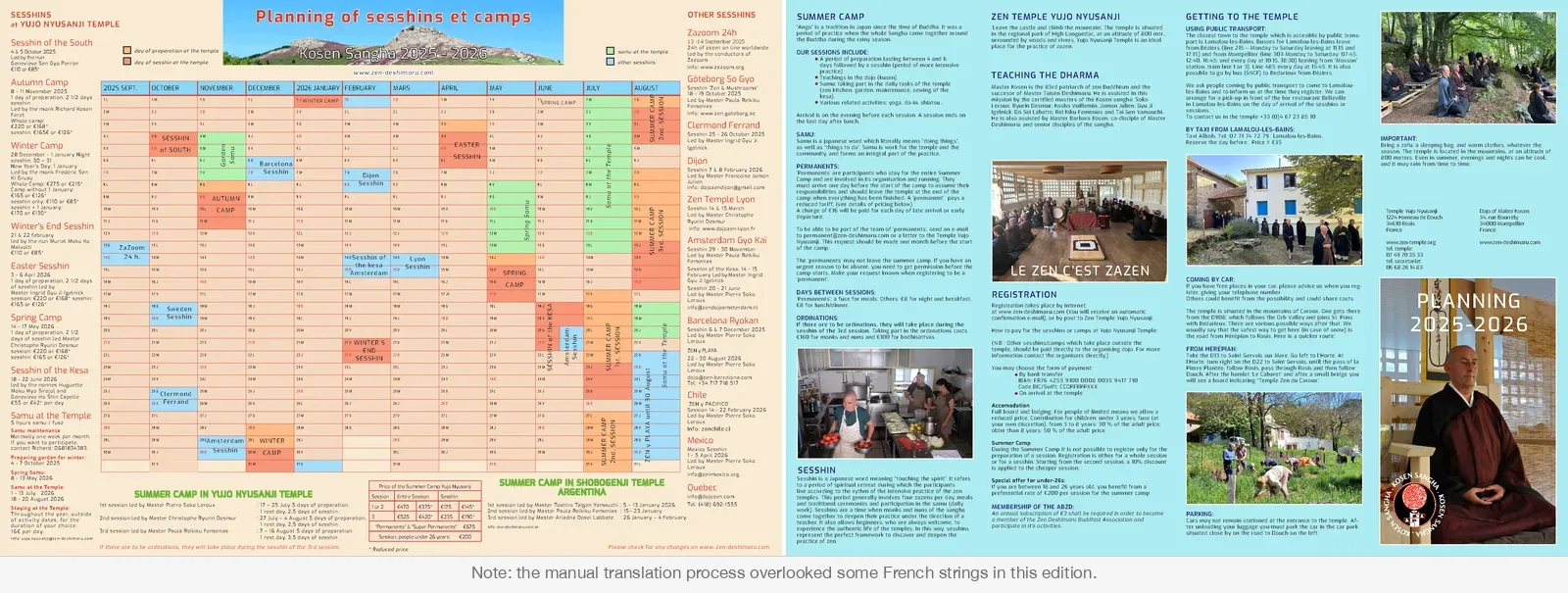
The two-page annual planning poster generated entirely from YAML data, producing synchronized French, English, and Spanish editions.
The poster pipeline automates the entire publication cycle:
1. **YAML pull request:** Non-technical contributors update dates, prices, and event leads via the GitHub web editor without touching LaTeX code or local build tools.
2. **Automated semantic diff comments:** On every pull request touching planning data, `diff_saison.py` computes business differences between seasons and posts a sticky comment on the PR. Reviewers inspect meaningful schedule and pricing changes rather than raw syntax diffs.
3. **Automated CMYK image preparation:** `prepare_images.py` converts source sRGB imagery to the printer-mandated FOGRA39 CMYK profile using Pillow and LittleCMS, preventing unexpected on-press color shifts.
4. **Six-point preflight verification:** `preflight.py` inspects every generated PDF using `pikepdf` and `PyMuPDF`, validating BleedBox and TrimBox dimensions, font embedding, color spaces, image resolution (>= 300 ppi), output intent dictionaries, and PDF/X-4 conformance.
### Defining the automation boundaries
Understanding where automation ends and human judgment begins is essential for print production:
> **What is automated:**
> - Multi-pass LuaLaTeX typesetting and cross-reference pagination.
> - Glossary compilation and index extraction via `makeglossaries`.
> - Raster image conversion from sRGB to FOGRA39 CMYK (`prepare_images.py`).
> - Six-point PDF/X-4 preflight compliance verification (`preflight.py --strict`).
> - Signature imposition flatplans for spread inspection (`pdfjam`).
> - Pull-request semantic diffs summarizing date and pricing changes (`diff_saison.py`).
> - Automatic embedding of Git commit hashes and engine versions in book colophons and XMP streams.
> **What still requires human review:**
> - **Visual typographic proofing:** Inspecting imposition flatplans for optical balance, bad hyphenation breaks, and widow/orphan suppression.
> - **Business logic validation:** Reviewing PR semantic diff comments to confirm dates, pricing, and event allocations.
> - **Physical contract proofing:** Approving the printer’s physical match print or wet proof before clearing high-volume press runs.
## Reproducibility and provenance: verifying press artifacts
Both architectures embed compilation metadata directly inside generated deliverables, establishing full audit trails between physical printouts and Git commits:
- **Colophon metadata in books:** LuaLaTeX scripts inject the Git commit hash, build timestamp, runner hostname, and LuaTeX engine version into the book’s colophon page.
- **XMP metadata in posters:** PDF/X-4 files embed standardized XMP metadata containing author information, color profile signatures, and Git commit references for press auditing.
### Project comparison
The table below summarizes how continuous integration adapts to the contrasting requirements of long-form typography and data-driven single-sheet publications:
| Dimension | Multi-author book workflow | Data-driven poster workflow |
| :--- | :--- | :--- |
| **Source format** | Modular LaTeX (`.tex` files and assets) | Structured YAML data files (`events.yaml`, `leads.yaml`, `traduction.yaml`) |
| **Main production concern** | Typographic stability, pagination, reflow avoidance across volumes | Multilingual synchronization (FR/EN/ES), calendar alignment, zero transcription errors |
| **Build process** | Multi-pass LuaLaTeX, `makeglossaries`, `pdfjam` imposition flatplans | Python data interpolation, sRGB-to-FOGRA39 CMYK conversion, LuaLaTeX compilation |
| **Validation approach** | Pinned TeX Live 2023 environment, log assertions, proofing contact sheets | Semantic diff PR comments (`diff_saison.py`), 6-point preflight validation (`preflight.py --strict`) |
| **Output artifact** | Book volumes PDF, printer’s copy, imposition flatplan | 6 press-ready PDF/X-4 files (3 languages × 2 seasons) |
## Getting started: building your print CI/CD pipeline
Implementing continuous integration for your own print documents requires a clean repository layout, pinned dependencies, and an automated verification workflow.
### Suggested repository structure
Organize source files, prepress scripts, and workflow configurations to keep content separate from automation logic:
```text
.
├── .github/
│ └── workflows/
│ └── print-build.yml # GitHub Actions pipeline definition
├── src/ # Content sources
│ ├── book/ # Modular LaTeX files and assets
│ │ ├── main.tex
│ │ └── chapters/
│ └── planning/ # Structured YAML data and translations
│ ├── events-2025-2026.yaml
│ └── traduction.yaml
├── scripts/ # Prepress automation and verification
│ ├── prepare_images.py # sRGB to FOGRA39 CMYK conversion
│ ├── diff_saison.py # Pull-request semantic diff generator
│ └── preflight.py # pikepdf / PyMuPDF compliance validator
├── requirements.txt # Pinned Python dependencies
└── Makefile # Local build target mirroring CI commands
```
### Pinning build dependencies
To prevent environment drift over years of maintenance:
- **Pin TeX Live:** Configure the CI runner with a specific TeX Live release (such as TeX Live 2023). Pinning prevents upstream LaTeX package updates from altering paragraph breaks or hyphenation matrices.
- **Pin Python libraries:** Define explicit version numbers in `requirements.txt` for preflight and image manipulation packages (`pikepdf==8.15.1`, `pymupdf==1.24.1`, `pillow==10.3.0`).
- **Standardize ICC profiles:** Store the printer’s official color profile (`ISOcoated_v2_eci.icc` for FOGRA39) in the repository rather than relying on host system defaults.
### Reference GitHub Actions workflow
The following minimal illustrative workflow demonstrates the orchestration pattern for a print pipeline on an Ubuntu runner: checking out the repository, setting up Python and TeX Live dependencies, running image conversion and compilation passes, executing strict preflight validation, and uploading the deliverable as a GitHub Actions artifact.
### Reference workflow: print-build.yml
```yaml
name: Build and Validate Print PDF
on:
push:
branches: [main]
pull_request:
branches: [main]
jobs:
build-pdf:
name: Compile press-ready PDF
runs-on: ubuntu-22.04
steps:
- name: Check out repository
uses: actions/checkout@v4
- name: Set up Python
uses: actions/setup-python@v5
with:
python-version: '3.11'
cache: 'pip'
- name: Install Python preflight dependencies
run: pip install -r requirements.txt
- name: Install TeX Live packages
run: |
sudo apt-get update
sudo apt-get install -y texlive-latex-base texlive-luatex \
texlive-extra-utils texlive-lang-french texlive-fonts-recommended
- name: Convert raster images to FOGRA39 CMYK
run: python scripts/prepare_images.py
- name: Compile book with multi-pass LuaLaTeX
run: |
lualatex --interaction=nonstopmode --halt-on-error src/book/main.tex
makeglossaries main
lualatex --interaction=nonstopmode --halt-on-error src/book/main.tex
lualatex --interaction=nonstopmode --halt-on-error src/book/main.tex
- name: Run strict preflight verification
run: python scripts/preflight.py --strict dist/main.pdf
- name: Upload PDF build artifact
if: always()
uses: actions/upload-artifact@v4
with:
name: press-ready-pdf
path: dist/main.pdf
retention-days: 14
```
> **Note on production readiness:** This workflow illustrates the sequential stages of the pipeline. In production, teams with extensive font libraries or bespoke TeX macros typically maintain dedicated self-hosted runners or private pre-warmed container images to reduce runner provisioning time.
### Retrieving generated PDF artifacts
Once the workflow completes on GitHub:
- **Workflow run summary:** Navigate to the **Actions** tab in your repository, select the latest workflow run, and download the compiled files under the **Artifacts** section.
- **Pull request reviews:** Automated CI bots can attach direct artifact download links or preflight summary tables directly into pull request comments.
- **Tagged releases:** For commercial print runs, configure a release job that publishes the verified PDF directly to [GitHub Releases](https://docs.github.com/en/repositories/releasing-projects-on-github/managing-releases-in-a-repository) alongside the Git commit tag.
### Reproducing builds locally
For local authoring, contributors run the same build sequence using the project `Makefile`:
```bash
make print
```
This target mirrors the CI commands, executing image preparation, the multi-pass compilation loop, and `preflight.py`.
Because local TeX Live installations can still differ slightly across developer laptops (such as between macOS and Linux), the planned roadmap for these projects includes publishing pinned container images to Docker Hub. This will allow contributors to execute `docker run --rm -v "$PWD":/workdir -w /workdir make print` for turnkey 1:1 offline parity without installing TeX Live on their host machines.
## Conclusion: predictable print production
Treating print artifacts as compiled software transforms document production from an error-prone desktop craft into a predictable engineering workflow. Pinning dependencies eliminates "works on my machine" discrepancies, while automated preflight gates prevent unverified colors, shifted page counts, and missing fonts from reaching the press.
Whether typesetting a multi-volume book or generating multilingual planning posters from YAML, automated CI/CD pipelines replace guesswork with deterministic guarantees.
### Related reading
Explore related architectures and prepress automation techniques:
- [Why hand-maintained InDesign files rot — and what docs-as-code does instead](https://redaction-technique.org/indesign-vs-docs-as-code): Why single-source YAML and LaTeX pipelines eliminate manual transcription errors across complex print layouts.
- [Non-blocking preflight, or: a build that always produces a PDF](https://redaction-technique.org/non-blocking-preflight-build-always-produces-pdf): Implementing a six-point preflight inspection with `pikepdf` and `PyMuPDF` with soft and strict failure modes.
- [Single-source multilingual publishing from YAML](https://redaction-technique.org/one-source-three-languages): Enforcing a strict separation between factual data and language display strings.
- [Converting RGB to CMYK with Python and Pillow](https://redaction-technique.org/rgb-to-cmyk-python): Preparing raster imagery for offset press runs with ICC color profile transformations.
### External sources
- [GitHub Actions Documentation](https://docs.github.com/en/actions): Continuous integration and workflow automation on GitHub.
- [Managing workflow artifacts](https://docs.github.com/en/actions/writing-workflows/choosing-what-your-workflow-does/storing-and-sharing-data-from-a-workflow): Official guide to storing and sharing build deliverables.
- [TeX Live Distribution](https://tug.org/texlive/): Comprehensive TeX distribution for reproducible typesetting.
- [PDF/X Standards (PDF Association)](https://www.pdfa.org/): Prepress standards for blind-exchange PDF deliverables.
*Hero image: ["The Binding Machine"](https://www.flickr.com/photos/mstharpe/4079657793) by [Ms. Tharpe](https://www.flickr.com/photos/mstharpe/), licensed under [CC BY 2.0](https://creativecommons.org/licenses/by/2.0/).*
---
Source: https://redaction-technique.org/cicd-for-print-artifacts